
As an Amazon Associate I earn from qualifying purchases. This post may contain affiliate links. Read our disclosure.
Quick answer: the three upgrades that make the biggest difference are a second 27-inch monitor, a supportive office chair and a desk at the right height, ideally one that lets you stand. Running a store means hours in Seller Center, spreadsheets and messages; this setup cuts both strain and switching time.
Our top picks
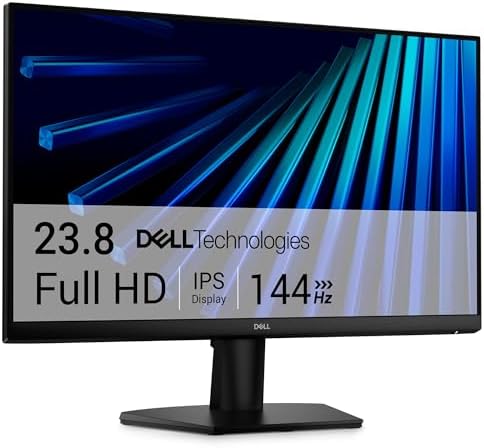
- Clear visuals. Fluid motion: A 144Hz refresh rate and 1ms MPRT deliver smooth, tear‑free motion across work, gaming, and…
- Eye comfort: TÜV Rheinland 3‑star* certification reduces harmful blue light while preserving stunning color quality with…
- Wide viewing angle: Get consistent views across a wide 178° /178° viewing angle.
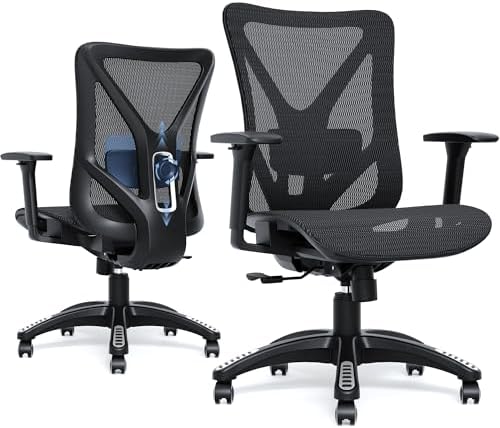
- 【Adjustable Lumbar Support】- The lumbar support of MOLENTS office chair can be adjusted up and down, forward and backwar…
- 【Adjustable 3D Armrests】- MOLENTS ergonomic office chair with 3D adjustable armrests offer tailored support for your arm…
- 【Breathable and Comfortable Mesh Office Chair】- This computer chair is crafted from premium breathable and high elastic …

- Premium Glass Desktop: An ultra-white tempered glass desktop that’s sleek, stylish, and durable for everyday use. You ca…
- Wide Height Adjustment Range: Easily switch between sitting and standing with a height range of 28.3″ to 46.5″, accommod…
- Easy Charging & Storage: The front panel of this height adjustable desk features built-in USB-A and USB-C ports to conve…
Why a second monitor first
Across our agency work, the job is constant switching: Seller Center on one side, a pricing sheet or supplier email on the other. A second 27-inch 1080p monitor is a low-cost upgrade that removes most of that tab-switching.
Setup checklist
| Item | What to look for |
|---|---|
| Monitor | 27 in, 1080p or higher, IPS panel, height or VESA mount |
| Chair | Adjustable lumbar support, seat height, armrests; a recognised office-chair standard such as BIFMA if listed |
| Desk | Room for two monitors; electric sit-stand if you work long hours |
| Lighting | Light from the side, not behind the screen |
Ergonomics in five minutes
- Top of the screen at or just below eye level.
- Screen about an arm’s length away.
- Feet flat, knees about level with hips.
- Elbows at roughly 90 degrees when typing.
- Stand or walk for a few minutes every hour.
If you also pack orders at home
Keep the packing station separate from your desk if you can. See seller starter kit.
Popular options
- Clear visuals. Fluid motion: A 144Hz refresh rate and 1ms MPRT deliver smooth, tear‑free motion across work, gaming, and…
- Eye comfort: TÜV Rheinland 3‑star* certification reduces harmful blue light while preserving stunning color quality with…
- Wide viewing angle: Get consistent views across a wide 178° /178° viewing angle.
- 【Adjustable Lumbar Support】- The lumbar support of MOLENTS office chair can be adjusted up and down, forward and backwar…
- 【Adjustable 3D Armrests】- MOLENTS ergonomic office chair with 3D adjustable armrests offer tailored support for your arm…
- 【Breathable and Comfortable Mesh Office Chair】- This computer chair is crafted from premium breathable and high elastic …
- Premium Glass Desktop: An ultra-white tempered glass desktop that’s sleek, stylish, and durable for everyday use. You ca…
- Wide Height Adjustment Range: Easily switch between sitting and standing with a height range of 28.3″ to 46.5″, accommod…
- Easy Charging & Storage: The front panel of this height adjustable desk features built-in USB-A and USB-C ports to conve…
Short on space? A desk converter like the Vari standing desk converter sits on an existing desk.