
As an Amazon Associate I earn from qualifying purchases. This post may contain affiliate links. Read our disclosure.
Quick answer: if your printer has a rear slot or an external holder, fanfold stacks are usually cheaper per label and quicker to load. Choose rolls if your printer only takes labels inside the case or your desk has no room behind the printer.
Our top picks

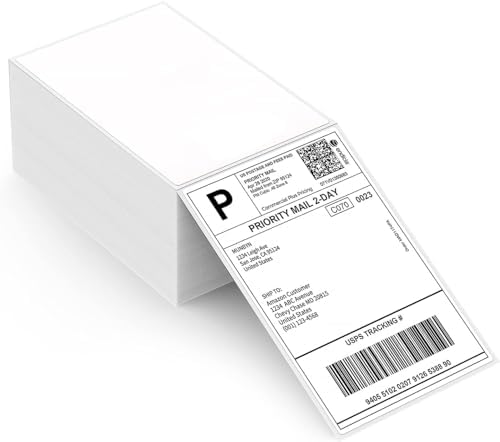

Roll vs fanfold
| Roll | Fanfold | |
|---|---|---|
| How it feeds | From a spindle or holder | From a flat stack behind or under the printer |
| Desk space | Compact | Needs space behind the printer |
| Typical pack | 250 to 500 per roll | 500 per stack |
| Cost per label | Often slightly higher | Often lower in bulk |
| Changeover | Swap the roll | Place the next stack, no threading |
Check these before you buy
- Width range of your printer. Most 4×6 desktop printers take labels up to about 4.1 to 4.25 inches wide.
- Core size (for rolls). Some printers only fit 1-inch cores; large 3-inch core rolls are for industrial printers.
- Direct thermal. Ribbon-free printers need direct thermal labels. See direct thermal vs thermal transfer.
- Perforations. Perforated labels tear off cleanly and help the printer’s gap sensor.
How many labels do you need?
A simple rule: orders per day × 30 × 1.1. The extra 10% covers misprints, reprints and test labels.
- 10 orders a day: about 330 labels a month, so one 500 stack lasts roughly six weeks.
- 30 orders a day: about 990 a month, so buy two stacks a month or a multi-pack.
- If you also print FNSKU or product labels, buy those separately in the right size; do not cut 4×6 labels down.
Common mistakes
- Buying labels that are slightly too wide for the printer. They jam or skew.
- Loading fanfold upside down, so the coated side faces away from the print head and labels come out blank.
- Skipping calibration after switching brands of labels. Gap spacing differs, so the printer can skip labels.
Popular 4×6 labels
Need a printer too? Read our Jadens label printer review.